
Is TeaTV Safe to Use? Honest Safety Review

TeaTV is one of the most searched third-party streaming apps, but before you install it you deserve a straight answer about the risks. So, is TeaTV safe? The app itself is not known to be malware, and millions of people have installed it without their devices being harmed. But because it is sideloaded from outside the Google Play Store, it skips Google’s security vetting — so how you download and set it up matters far more than the app itself. This honest review breaks down the real risks, what permissions TeaTV asks for, and a practical checklist to use it as safely as possible.
Table of Contents
What “Safe” Means for a Third-Party Streaming App
When people ask “is TeaTV safe,” they usually mean one of three things:
- Will it infect my device with malware?
- Will it steal my personal data?
- Can I get in legal trouble for using it?
These are separate questions with separate answers. This guide covers the first two in depth; the legal question depends on your country and is covered in our separate guide on whether TeaTV is legal (publishing next) — the short version is that the app aggregates links from third-party sources rather than licensed ones, so check your local copyright law.
Is TeaTV Itself Malware?
There is no widely documented evidence that the standard TeaTV APK from a trustworthy source carries malware. The app does not host content — it scrapes and aggregates streaming links already hosted elsewhere, which is why the file itself is relatively simple.
The catch: “the standard TeaTV APK from a trustworthy source” is doing a lot of work in that sentence. The APK ecosystem is full of copies, mirrors, and “mod” builds, and the file you download is the biggest variable in the whole safety equation.
The Real Risks of Using TeaTV
1. The download source is the biggest risk
An APK can be repackaged by anyone. Copies downloaded from random mirror sites, Telegram channels, or “free download” blogs may be bundled with adware or spyware. Red flags to watch for:
- The download page hides the real version number or file size
- Multiple redirects or fake “virus detected” pop-ups before the download starts
- The file asks for unusual permissions during install
- The build is an unknown “mod” from an anonymous uploader
2. Modded APKs are riskier than the standard build
Mod versions (ad-free builds, “premium unlocked” variants) are created by unknown third-party developers. They can remove ads — but they can also add tracking code you will never see. The standard TeaTV app is the safer choice; if you choose a mod build, scan it first and never enter personal information in it.
3. No Play Protect vetting
Apps installed from the Play Store pass Google’s automated security screening. Sideloaded APKs do not. That does not mean every APK is dangerous, but it means the safety net is on you.
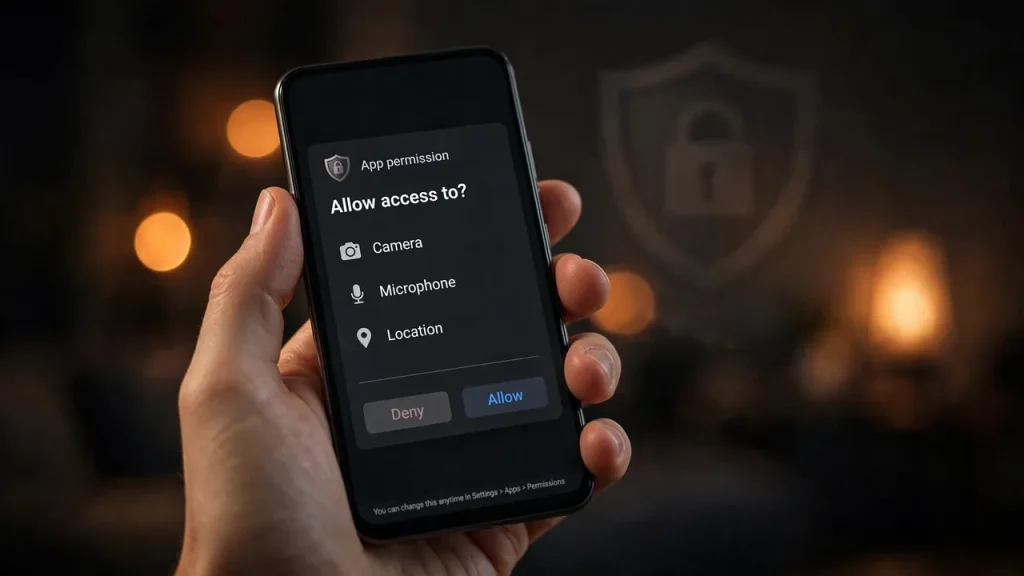
4. Privacy: what permissions does TeaTV ask for?
TeaTV asks for standard permissions such as storage access (for offline downloads) and network access. It is not known to request unusual permissions like SMS or call logs — but always review the permission screen at install time. If a copy of the app requests contacts, messages, or device-admin rights, delete it immediately and find another sourc
How to Use TeaTV as Safely as Possible (Checklist)
- Download only from a source you trust — never from random mirror sites or direct links in forums and chat apps. Our site does not host APK files; we only explain the official routes and risks.
- Scan every APK before installing. Upload the file to VirusTotal and check that major antivirus engines flag nothing.
- Keep Google Play Protect enabled — it can still scan sideloaded apps on demand.
- Review install-time permissions and deny anything that looks unrelated to streaming.
- Use the official download route when available — for reference, TeaTV’s official Play Store listing is here where supported on your device.
- Keep the app updated — newer builds fix bugs and remove broken or suspicious code paths.
- Avoid entering personal data in the app or in any modded variant.
Should You Use a VPN with TeaTV?
A VPN encrypts your connection and hides your IP address from your internet provider and from any third-party source the app contacts. Many TeaTV users run a VPN for privacy while streaming — and in regions where this type of app is blocked at the network level, a VPN is also the standard workaround for access issues.
Be clear about what a VPN does not do: it does not make the APK file itself safer, and it does not change the copyright status of the content you watch. Treat it as a privacy tool, not a legal shield.
TeaTV Mod APK vs the Standard App: Which Is Safer?
The standard build is the safer option — its behavior is predictable and it has the largest user base, so problems surface publicly. Mod builds trade that predictability for extra features (usually ad removal), and their code comes from unverified developers. If safety is your priority, stick to the standard build and tolerate the ads.
Safer, Fully Legal Alternatives
If any of the above makes you uncomfortable, fully licensed free options exist: Tubi and Pluto TV offer large on-demand libraries with live channels and are available on official app stores, which means full security vetting. The library size is surprisingly competitive with unofficial apps — and there is zero risk involved.
Frequently Asked Questions (FAQs)
Is TeaTV safe to download?
TeaTV is generally considered safe to download when the APK comes from a trusted source and is scanned before installing. The risk comes from repackaged copies on untrusted mirror sites, not from the standard app itself.
Is TeaTV a virus?
No — there is no documented evidence that the standard TeaTV APK from a reputable source is a virus or malware. Still, because it is sideloaded outside the Play Store, always scan the file with an antivirus tool like VirusTotal before installing.
Does TeaTV collect my personal data?
TeaTV asks for standard streaming permissions (storage, network). It is not known to request sensitive permissions like SMS or contacts. Always review the permission prompt at install — if a copy requests unusual access, do not install it.
Is TeaTV safe to use on Firestick?
The same rules apply on Firestick as on Android phones: use a trusted source, scan the file if possible, and keep your device’s security settings sensible. See our TeaTV for Firestick guide for install steps.
Is the TeaTV mod APK safe?
Mod APKs carry more risk than the standard build because they are modified by unknown developers. They may remove ads, but they can also add tracking code. The standard TeaTV app is the safer choice.
Should I use a VPN with TeaTV?
A VPN adds privacy by encrypting your traffic and hiding your IP address, which many users prefer while streaming. It does not make an unsafe APK safe or change the legality of streamed content.
By Priya Sharma, Senior Content Writer • Reviewed by David Chen, Technical Researcher
About the author: Priya Sharma is a Senior Content Writer at teatv-apk.net, covering streaming apps and Android guides with a focus on accuracy and reader safety.
Reviewed by: David Chen, Technical Researcher, verified the technical claims in this guide, including APK safety procedures, Android permissions, and VPN guidance.
