
Do You Need a VPN for TeaTV? Best VPNs & Setup [2026 Guide]

Yes — if you use TeaTV, a teatv vpn is worth having. A VPN hides your IP address from your internet provider and from the sites TeaTV pulls links from, encrypts your traffic, and stops your ISP from slowing down your streams. That is the honest short answer. The longer answer is that a VPN does not make TeaTV legal, does not fix dead links, and does not rescue an app whose developers have stopped updating it. This guide gives you both sides: what a VPN actually does on TeaTV, the five VPNs that work best with it (and the one free option that is actually safe), step-by-step setup for Firestick and Android, the free-VPN traps to avoid, and the fixes for when TeaTV stops working with a VPN on. If you only want to know whether the app itself is safe, start with our Is TeaTV Safe guide instead.
Table of Contents
Do You Need a VPN for TeaTV? At a Glance
The essentials before you read further.
| Question | Short answer |
|---|---|
| Do you need a VPN for TeaTV? | Yes, for privacy — it hides your IP and stops ISP throttling |
| Does TeaTV block VPNs? | No — TeaTV works fine with a VPN on |
| Does a VPN make TeaTV legal? | No — a VPN changes nothing about the legality of what you stream |
| Best VPN for TeaTV on Firestick? | NordVPN or Surfshark — native Fire TV apps, and the only two with Vega OS apps |
| Is there a safe free VPN for TeaTV? | Proton VPN Free is the only free tier with an independent no-logs audit and unlimited data |
| Does TeaTV have a built-in VPN? | No verifiable one — use a separate VPN app |
| What does a VPN cost? | Paid VPNs cost a few dollars a month on a long plan — check the VPN’s own site, prices change often |
What a VPN Actually Does on TeaTV
A VPN is not magic, but for TeaTV it does four real things.
- It hides your IP address. Without a VPN, your internet provider — and every site TeaTV fetches links from — sees your real IP address. With a VPN on, they see the VPN server’s address instead. That is the core privacy benefit, and the reason every serious TeaTV guide recommends one.
- It encrypts your traffic. A VPN wraps your connection in encryption, so your ISP can see that you are using data, but not what you are streaming. On its own this does not make any stream legal — it only makes your activity private from your provider.
- It stops ISP throttling. Some providers slow down video traffic when they detect streaming. A VPN hides the type of traffic, which is why switching a VPN on can fix the kind of buffering that comes and goes even when your speed test looks fine. If the buffering is caused by a bad source rather than your connection, a VPN will not help — see the fixes section below.
- It changes your virtual location. Most of the sources TeaTV pulls links from are hosted in the US and UK, so connecting to a US or UK VPN server can help with both speed and the dreaded “No Links Found” message. If you keep getting no links, our no-streams fix guide covers the other causes in order.
One more verified fact worth knowing: TeaTV does not block VPNs. If a VPN is causing problems, it is a settings or server problem, not a ban — the troubleshooting section at the end fixes the common ones.
What a VPN Cannot Do on TeaTV
This is the part most VPN roundups skip, and it matters more than the sales pitch.
It cannot make TeaTV legal. A VPN hides your IP address; it does not change the licensing of the content you stream. Streaming unlicensed content can still have legal consequences even with a VPN on, and a VPN does not make TeaTV itself legal. Our Is TeaTV Legal guide explains the distinction in full — the safest streams on TeaTV are public-domain titles.
It cannot fix dead links. TeaTV’s developers are no longer updating the app, and its link sources keep breaking with nobody maintaining them. A VPN cannot repair a dead scraper or bring back a source site that went offline. If links are gone with the VPN off too, the problem is TeaTV, not your connection — check our Is TeaTV Down guide first, and read our Is TeaTV Discontinued guide for the full picture.
It cannot guarantee you will never get an ISP letter. Providers monitor illegal streaming, users have reported receiving warning letters, and in some cases providers have terminated service entirely. A VPN reduces the visibility of your activity, but it is not a guarantee — and no VPN can promise otherwise honestly.
It cannot make a bad APK safe. A VPN encrypts traffic; it does nothing about malware inside an APK file. Only download TeaTV from the official site, and scan any APK on VirusTotal before installing it. Our Is TeaTV Safe guide has the full safety checklist.
It cannot fix a device TeaTV does not run on. TeaTV does not work on the Fire TV Stick Select, which runs Amazon’s locked Vega OS instead of Android. A VPN changes nothing there — the app simply cannot be installed on that hardware.
Best VPN for TeaTV: 5 Picks Compared
These five are the consensus picks across the 2026 Firestick VPN roundups and the TeaTV guides that name VPNs. Every one of them has a native Fire TV app, which is the first thing to check — a VPN without one means sideloading a phone app onto your TV, which is a miserable experience. Prices and server counts are deliberately left out of this table: prices change every few weeks and sources disagree wildly on server counts, so check the VPN’s own site at the time you buy.
| VPN | Fire TV app | Vega OS app | Privacy features | Why it fits TeaTV |
|---|---|---|---|---|
| NordVPN | Yes | Yes | Kill switch, no-logs policy, ad/malware blocking | Among the fastest in 2026 Fire TV tests; 30-day money-back |
| Surfshark | Yes | Yes | CleanWeb ad-blocker, unlimited devices | Unlimited devices on one account; CleanWeb removes TeaTV’s banner ads |
| ExpressVPN | Yes | No | Kill switch, DNS leak protection, no-logs audited by PwC | The best-audited no-logs policy of the five; 7-day mobile free trial |
| Proton VPN | Yes | No | Free tier with unlimited data and an audited no-logs policy | The only safe free option — see the free-VPN section below |
| Private Internet Access | Yes | No | 10 devices, choice of encryption strength | Long-running no-logs VPN with the most flexible settings |
Two notes on this table. First, only NordVPN and Surfshark currently offer Vega OS apps — that matters if you own a newer Fire TV device, though remember TeaTV itself does not run on the Vega OS-based Fire TV Stick Select. Second, ExpressVPN is not free — any guide that lists it as a “free VPN” for TeaTV is wrong, and that error is circulating on download blogs right now. The only free option on this list is Proton VPN’s free tier.
If you only want one recommendation: pick NordVPN or Surfshark for a Firestick, because of the native Fire TV app and the Vega OS coverage. If you want to spend nothing, use Proton VPN Free and accept the slower speeds — do not install a random free VPN from the Play Store, for the reasons in the next sections.
How to Set Up a VPN for TeaTV on Firestick
This is the setup no TeaTV guide actually shows step by step. Do it before you open TeaTV — the VPN needs to be connected first.
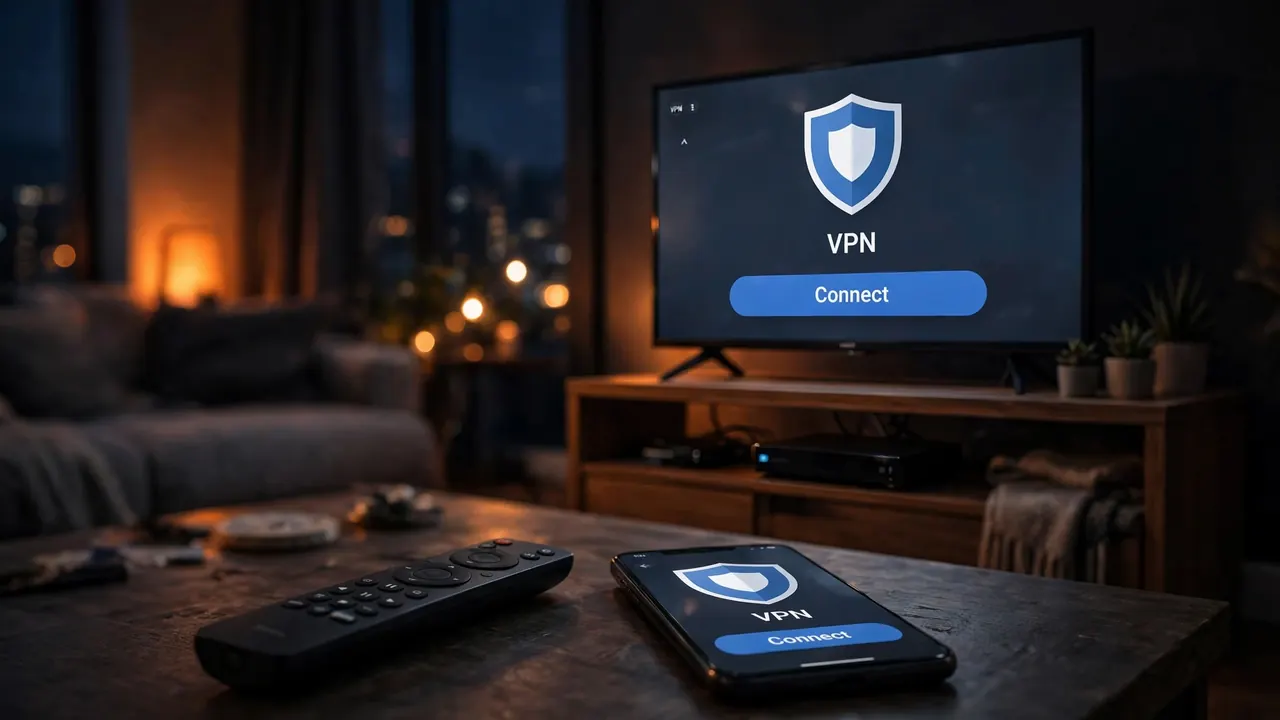
- From the Firestick home screen, open the Amazon Appstore and search for your VPN by name (NordVPN, Surfshark, ExpressVPN, Proton VPN and PIA all have Fire TV apps).
- Select Get or Download and wait for the install to finish.
- Open the VPN app and sign in with your account. If you do not have one yet, create it on the VPN’s website first — signing up on a TV with a remote is painful.
- Connect to a server. For the best speed, pick a server close to where you live. If TeaTV shows few or no links, switch to a US or UK server instead — most TeaTV sources are hosted in those regions.
- Wait for the app to show Connected, then press Home and open TeaTV as normal.
- If TeaTV still shows no links, disconnect the VPN and try again without it — that tells you in ten seconds whether the VPN or TeaTV is the problem.
The Vega OS catch: if your device is a Fire TV Stick Select, TeaTV will not install or run on it at all — Vega OS only runs store-approved apps, and no VPN changes that. On older Fire TV Sticks the steps above work as written. Our TeaTV for Firestick guide covers the TeaTV install itself in detail.
How to Set Up a VPN for TeaTV on Android Phone & Tablet
The phone setup is the same idea, minus the TV remote.
- Open the Google Play Store and install your VPN’s official app — check the developer name matches the VPN company before you tap Install.
- Sign in, then open the VPN’s settings and turn on the kill switch if it offers one. The kill switch blocks all traffic if the VPN drops, so your real IP never leaks mid-stream.
- Connect to a server — close to home for speed, or a US/UK server if TeaTV is short on links.
- Only now open TeaTV. Keep the VPN running in the background while you watch, and disconnect it when you are done if you do not want all of your phone’s traffic routed through it.
- If your VPN offers split tunnelling, you can route only TeaTV through the VPN and leave the rest of your apps on your normal connection — useful if banking apps complain about VPN use.
Our TeaTV APK for Android guide covers the TeaTV install on phones and tablets, including the permission steps that trip most people up.
Free VPN for TeaTV: Why Free Usually Costs More
“Free VPN for TeaTV” is one of the most searched phrases in this cluster, and the answer is uncomfortable: most free VPNs are the opposite of private.
A study of 283 VPN apps found that around 72% of free VPNs track users’ online activity, and around 40% contain malware. Of the 100 most-installed free VPN apps on Android, 71 were observed sending personal data to third parties. Free VPNs also cap your data — typically 500 MB to 1 GB, which is one movie at most — and they are slow, because thousands of free users share a handful of servers. A free VPN that sells your browsing history is worse than no VPN at all: it collects the exact data you installed it to hide.
There are only two free tiers with an independent no-logs audit: Proton VPN Free and hide.me Free. Proton VPN Free is the practical pick for TeaTV — it has unlimited data (rare for a free tier) across 10 server locations, and its no-logs policy was independently audited in May 2026. Expect slower speeds than the paid version; that is the honest trade-off.
Red flags that mark a free VPN as unsafe:
- No clear no-logs policy, or no independent audit to back the claim
- Aggressive pop-up ads inside the VPN app itself — ads are how it pays its bills
- Asks for permissions a VPN does not need (contacts, photos, location)
- No company name, no website, no support page — just a Play Store listing
- Promises “premium” features for free, or claims a paid VPN like ExpressVPN is free
If a VPN app shows any of these, uninstall it. Our Block Ads on TeaTV guide covers the safer ways to deal with ads inside TeaTV itself, including Private DNS and ad-blocking VPN features like Surfshark’s CleanWeb.
TeaTV Not Working With a VPN? 6 Fixes
A VPN can cause TeaTV problems as well as solve them. Work through these in order — most cases are fixed by the first two.
- Switch to a different server. The most common fix. Pick a server closer to you for speed, or a US/UK server if links are missing. Crowded or distant servers cause both buffering and empty results.
- Clear TeaTV’s cache. With the VPN still on, clear the app’s cache and reopen it — stale cached data is a frequent cause of the blank-screen-with-VPN problem. Our TeaTV not-working fixes guide shows where the cache setting lives on each device.
- Change your DNS settings. If your VPN app offers a DNS setting, try switching it — a mismatched DNS can make TeaTV load nothing at all while everything else works.
- Allow the VPN through your firewall (PC only). On Windows or Mac, your firewall can block the VPN’s connection while TeaTV runs in an emulator. Add the VPN app to the firewall’s allowed list. Our TeaTV for PC guide covers the emulator setup.
- Reinstall TeaTV. Uninstall the app, then install a fresh copy from the official site following our TeaTV APK download guide — a corrupted install behaves differently behind a VPN and a clean install rules it out.
- Switch to a premium VPN. Free VPNs are the most likely to fail with streaming apps: overloaded servers, blocked IP ranges, and data caps that cut out mid-movie. If the free tier keeps failing, the paid tier of the same VPN (or Proton VPN Free, the one audited free option) is the next step.
If TeaTV still fails with the VPN turned off, the problem is TeaTV, not the VPN — check the Is TeaTV Down guide and the no-streams fix guide. And if free links are dead no matter what you try, premium links through Real-Debrid are a separate fix for dead free links — see our Real-Debrid with TeaTV guide.
Does TeaTV Have a Built-In VPN?
No — there is no built-in VPN in TeaTV that you can rely on. One install guide claims TeaTV has “built-in VPN support (requires a subscription)”, but it names no provider, no price, no setting, and no setup step, and no other source corroborates it: the full settings walkthroughs list no VPN option, the feature lists on the download sites have no VPN feature, and TeaTV is free with no subscription anywhere — a subscription-gated built-in VPN contradicts the app’s own model. Our TeaTV settings guide walks through every real setting in the app, and there is no VPN toggle in it. Use a separate VPN app from the table above.
Is TeaTV Safe With a VPN?
Safer for your privacy — not safe in the legal sense. A VPN hides your IP address and encrypts your traffic, which is the single biggest privacy upgrade you can make while using TeaTV. What it does not do is change what you are streaming: unlicensed streams stay unlicensed, providers still monitor illegal streaming, and warning letters remain a real (if uncommon) outcome. The honest way to use TeaTV with a VPN is to stick to public-domain content where you can, keep the app itself from the official site only, scan every APK before installing, and remember the app is discontinued — links will keep degrading whatever VPN you use. If you want to move away from TeaTV entirely, our best TeaTV alternatives roundup compares twelve options, including fully legal free services.
Frequently Asked Questions (FAQs)
Do you need a VPN for TeaTV?
Yes, for privacy. A VPN hides your IP address from your provider and from the sites TeaTV pulls links from, encrypts your traffic, and stops your ISP from throttling your streams. It does not make TeaTV legal, and it cannot fix dead links in a discontinued app.
Does TeaTV block VPNs?
No. TeaTV does not block VPNs — you can use it with a VPN on. If links stop loading after you connect a VPN, switch to a closer server or a US/UK server; that fixes most cases.
What is the best VPN for TeaTV on Firestick?
NordVPN or Surfshark. Both have native Fire TV apps, and they are the only two VPNs that currently offer Vega OS apps for newer Fire TV devices. ExpressVPN is also a solid pick, but it has no Vega OS app. TeaTV itself does not run on the Vega OS-based Fire TV Stick Select.
Is there a free VPN for TeaTV?
Proton VPN Free is the only free tier with an independent no-logs audit and unlimited data, so it is the only free option worth using. Most free VPNs track your activity or contain malware, and data caps of 500 MB to 1 GB end mid-movie. ExpressVPN is not free, despite what some download blogs claim.
Why is my VPN making TeaTV slower?
A VPN adds encryption overhead, and a distant or crowded server makes it worse. Switch to a server closer to you, or to a US or UK server since most TeaTV sources are hosted there. If it is still slow, the problem is usually the stream’s source, not the VPN.
Is TeaTV safe with a VPN?
Safer for your privacy, but not safe in the legal sense. A VPN hides your IP and encrypts traffic, but streaming unlicensed content can still have legal consequences, and providers have sent warning letters to streamers. Stick to public-domain content where possible, and only install TeaTV from the official site.
By Priya Sharma, Senior Content Writer • Reviewed by David Chen, Technical Researcher
About the author: Priya Sharma is a Senior Content Writer covering streaming apps and Android guides.
Reviewed by: David Chen, Technical Researcher, verified the VPN setup steps and free-VPN safety details in this guide.
