
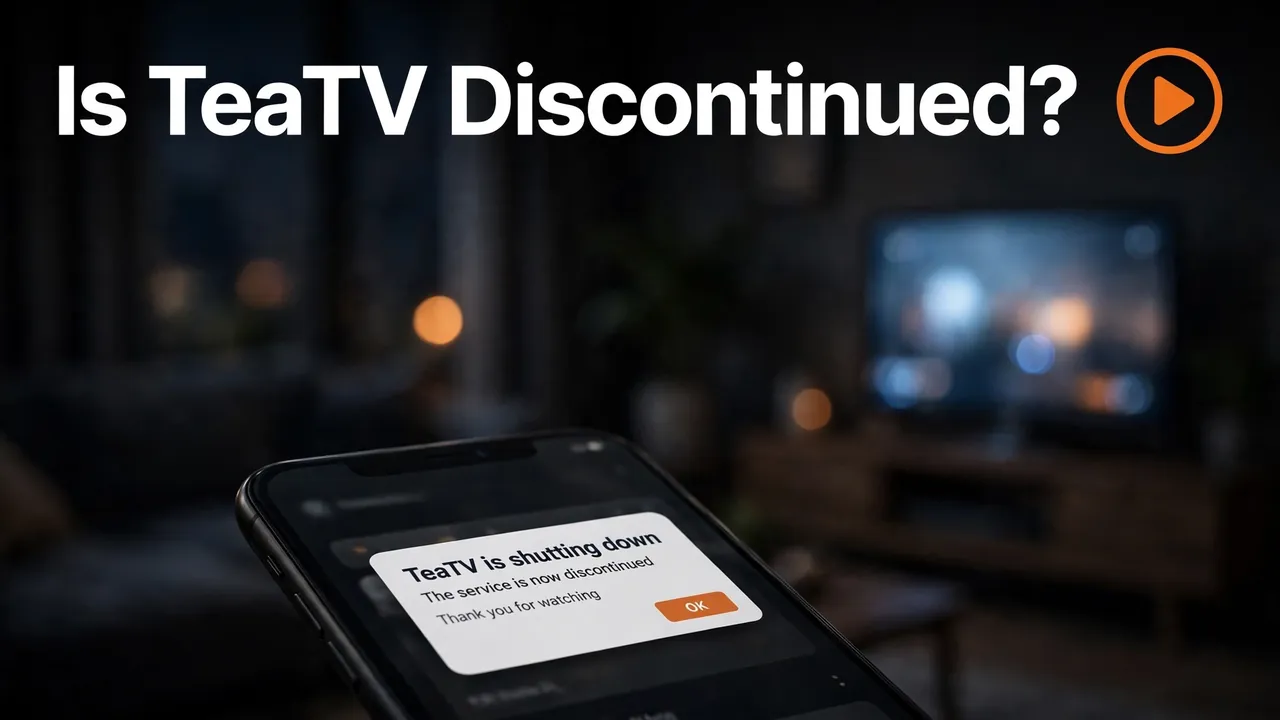
Is TeaTV Discontinued? What Happened to TeaTV

Yes — teatv discontinued is real. Open the app today and you may see the message the developers put in it: “TeaTV has officially been discontinued and is no longer supported. Thank you for your support. No further updates or services will be provided.” There will be no new version, no bug fixes, and no official support — that part is settled. What is less settled is what happens next for people who already have the app installed: it still opens for many users and sometimes still finds links, but it is degrading, and nothing is coming to fix it. This guide explains what the shutdown notice actually says, when it appeared, the four reasons the app ended, what still works and what does not, and what to do now — including the Amazon Firestick block and the fake “TeaTV is back” APKs you should avoid. If you only want to know whether the app is down right now rather than shut down for good, start with our Is TeaTV Down guide instead.
Table of Contents
Is TeaTV Discontinued? At a Glance
The essentials before you read further.
| Detail | Value |
|---|---|
| Official status | Discontinued — the app shows an official shutdown notice on launch |
| Notice wording | “TeaTV has officially been discontinued and is no longer supported. Thank you for your support. No further updates or services will be provided.” |
| When the notice surfaced | May 2026 (screenshots of the in-app message circulated from early May 2026) |
| Further updates | None — no new version, no bug fixes, no support |
| Latest version most sources list | 11.1.7r — always confirm on the official site, because version numbers change often |
| Does the installed app still open? | Often yes, for now — but links are degrading and will not be fixed |
| Official website | teatv.net — still serves the APK download |
What the Shutdown Notice Actually Says
The clearest evidence is not a news article — it is the app itself. Users who launch TeaTV see a pop-up headed “Update TeaTV” with this message:
“TeaTV has officially been discontinued and is no longer supported. Thank you for your support. No further updates or services will be provided.”
Screenshots of that exact message began circulating in early May 2026, and an October 2026 status guide from w3reference confirms the same wording and the same conclusion: the project was officially discontinued, and users launching the app are greeted with a notice that it is no longer supported. TROYPOINT has reported the same thing in its own words — that the developers of TeaTV are no longer updating the application, and that launching the app shows a message to that effect.
Three things the notice does and does not say, because the wording matters:
- It says “discontinued”, not “banned”. The developers ended the project. That is different from an app being removed by a store or blocked by a court — and it is why the app can still open even though it is discontinued.
- It says “no further updates or services”. That is the whole point: whatever breaks from here on stays broken. A scraper that stops finding links, a player that stops working with a new Android version — nobody is coming to fix it.
- It does not say the app stops working on a date. There is no kill date in the message. The app fades rather than switches off, which is why some users still watch with it while others see nothing but errors. Both experiences are real.
If you have seen a different message — a crash, a blank screen, or no links at all — that is usually a symptom of the shutdown rather than a separate problem. Our TeaTV not-working fixes guide and no-streams fix guide cover the symptoms in order, but be honest with yourself about the ceiling: maintenance steps can restore partial function for a while, but no update is coming to permanently fix link scraping.
What Happened to TeaTV? The 4 Reasons It Ended
No single event killed TeaTV. Four pressures arrived together in 2026, and the shutdown notice is the result of all four.
- Development ended. The project was officially discontinued by its own developers. This is the first and most important reason: an app that aggregates links from third-party sites needs constant maintenance — scrapers break every time a source site changes, and somebody has to keep fixing them. When the developers stopped, the link sources began rotting in place. That is why the most common complaint since mid-2026 is not a crash but an empty results list: the app opens, searches, and finds nothing.
- Amazon began flagging TeaTV on Fire TV. Amazon started flagging TeaTV on Fire TV devices and blocking it, with users reporting the app being disabled or flagged for distributing unlicensed content. For an app whose biggest audience was Firestick users, losing the Fire TV platform is losing the living room. The Firestick section below covers what the block looks like and what to do about it.
- Google’s Play Protect tightened up. Google’s Play Protect tightened restrictions on installing this category of apps on Android phones and tablets. Play Protect warnings do not make an app illegal, but they do make ordinary users stop installing it — and they make reinstalling after a reset much harder, because the warning appears every time.
- Fire OS is closing the sideloading door. Amazon is moving new devices, such as the Fire TV Stick Select, onto its locked Vega OS, which runs only store-approved apps. Sideloading — the only way TeaTV ever reached a Firestick — is being designed out of the newest hardware. Even if the app were still maintained, the devices it runs on are shrinking in number.
None of these four is a rumour from a forum thread. The first is the app’s own message; the second and fourth are documented device-maker policy changes; the third is a visible change in Android behaviour. Together they explain why the answer to “is TeaTV gone” is “the project is gone, even if the app on your phone has not noticed yet.”
What Still Works and What Does Not
This is the honest middle ground. TeaTV is not a switch that flipped off, and it is not fine either. Here is where it stands at the time of writing.
| Feature | Status now | Why |
|---|---|---|
| App opens on an installed device | Usually still works | Nothing in the shutdown notice disables the installed app |
| Browsing movies and TV shows | Partly — metadata still loads for many titles | Title data comes from TMDb, which is independent of TeaTV |
| Finding playable links | Degrading — often few or none | The scrapers are unmaintained and source sites keep changing |
| Real-Debrid premium links | Better than free links, but not immune | Premium links depend on the same unmaintained scraping, plus your Real-Debrid account |
| Trakt watch-history sync | Still works while Trakt itself is up | Trakt is a third-party service, not part of TeaTV |
| Subtitles via OpenSubtitles | Still works while the service is up | Same reason — a third-party service |
| Downloads for offline viewing | Works when a link is found; fails when none is | Limited by the same link problem |
| Updates, bug fixes, new features | None — permanently | Development has ended |
| New installs on latest Fire TV hardware | Blocked or flagged on newer devices | Amazon flagging + Vega OS on new models |
The practical rule: if your installed copy still finds links for the shows you watch, you can keep using it for now — but treat every working evening as borrowed time, not as proof the app is back. If it already finds nothing, no amount of cache-clearing will bring the scrapers back. Our TeaTV settings guide explains the settings that still work in the installed app, and our buffering fix guide covers the playback problems that are still fixable.
TeaTV Blocked on Firestick: What the Amazon Block Means
“Teatv blocked on firestick” is one of the most searched phrases in this cluster, and it deserves its own answer, because it is a different problem from the shutdown — it is the shutdown hitting one device first.
What users see: on affected Fire TV devices, TeaTV is flagged or disabled — the app may not launch, may be removed from the home screen, or may trigger a warning about unlicensed content. This is Amazon acting, not TeaTV: the app is being flagged for distributing unlicensed content, which is the same reason Amazon is moving new hardware to the locked Vega OS.
What does not work: reinstalling the same APK does not fix an Amazon block, and neither does clearing the cache or changing your DNS settings. The block is enforced by the device and the store, not by anything inside the app. Our TeaTV for Firestick guide still covers the install steps for devices where sideloading still works, but if your device has flagged the app, those steps will not get around the flag.
What to do instead: if your Firestick has blocked TeaTV, do not go looking for a “fixed” or “unblocked” TeaTV APK — those are the fake revival files covered in the next section. The safe moves are to use TeaTV on a device that has not blocked it (an Android phone or tablet, or an Android TV box), cast from your phone with our Chromecast guide, or move to one of the legal alternatives below. The Firestick era of TeaTV is ending with the hardware, not with a settings change.
“TeaTV Is Back” APKs: Don’t Download Them
Whenever a popular app shuts down, revival APKs appear within days — and every one of them should be treated as fake until proven otherwise. The pattern is always the same: a site or video claims to have the new TeaTV, a “fixed” build, or “TeaTV 2026 Edition”, and the download is a different app, an older build relabelled, or malware.
Four checks before you trust any “TeaTV is back” claim:
- The official site is the only source that matters. If teatv.net does not list a new version, there is no new version. A revival announced only on a download blog or a YouTube description is not a revival.
- The file size must match. The real TeaTV APK is around 13.8 MB. A file far bigger or suspiciously tiny is not the file you expected — stop and scan it on VirusTotal before you even think about installing it.
- It asks for nothing. TeaTV is free with no sign-up. A “new TeaTV” that demands an email, a payment, or an account before the download is not TeaTV.
- It cannot fix the real problem. Even a genuine copy of the last build cannot fix dead scrapers — that needs a developer, and the developers have stopped. A file that promises “all links working again” is promising something no APK can deliver on its own.
If you already installed a revival APK, uninstall it and scan your device. Our Is TeaTV Safe guide covers the full safety checklist, including the permissions review that catches the worst of these files.
Is TeaTV Still Working? The Short Answer by Device
Because “is teatv still working” and “is teatv still available” are separate searches with separate answers, here they are plainly:
- Android phone or tablet: most likely to still work — the app opens, and links are hit or miss. Install from the official site only, and follow our TeaTV APK for Android guide.
- Firestick / Fire TV: the most likely to be blocked — see the Amazon block section above. Older Fire TV models may still run it; newer ones increasingly will not.
- Android TV / Smart TV: works where the APK can still be sideloaded — see our TeaTV for Smart TV guide.
- Windows / Mac (emulator): the app itself runs in an emulator as before — see our TeaTV for PC guide. The emulator does not fix the link problem, it only changes the screen.
- iPhone / iPad: TeaTV never had an official iOS app — our TeaTV for iOS guide covers the workarounds, and the shutdown changes none of them.
“Available” is the easier question: the APK is still listed on the official site, so it is still available to download. “Working” is the harder one, and the answer is “degrading, device by device”. If you are setting TeaTV up for the first time today, read the alternatives section before you invest the evening — a new install of a discontinued app is a short-term fix at best.
2019 vs 2026: Don’t Confuse the Two Disappearances
One more source of confusion, because it dominates the search results for “what happened to teatv”: TeaTV disappeared once before, in October 2019, after a CNBC report — and then came back. That is a different event from the 2026 shutdown, and the two should not be mixed up.
| October 2019 | May 2026 | |
|---|---|---|
| What happened | Website and social media went dark after a CNBC investigation | In-app shutdown notice: officially discontinued, no further updates or services |
| Did the app stop working? | No — it kept working for many users, and the project returned | No kill date, but development has ended for good |
| Source | TorrentFreak, Oct 2019 | The app’s own notice + w3reference, Oct 2026 |
| Outcome | The project came back | No return announced; no new version exists |
The 2019 story is why some guides still say “TeaTV will be back”. In 2019 that was true. In 2026 the message is different — the developers themselves say it is discontinued — and no source has reported a return. Treat any article that cites the 2019 comeback as proof of a 2026 comeback as out of date.
What to Do Now: Keep It, or Move On?
The decision depends on what you have and what you watch. Three honest options:
Keep using your installed copy — if it still works for you. If the app on your phone still finds links for the shows you watch, there is no reason to delete it today. Sync your watch history to Trakt first, while the sync still works — our Trakt setup guide walks through it — so you do not lose your place when the app finally stops finding links. And keep the movies guide and Live TV / M3U guide handy for the features that still work.
Move to a legal streaming service. The cleanest long-term answer, and the only one with a future: free, licensed services with real apps and real support. Tubi and Pluto TV are free and ad-supported with no account needed; Plex adds a proper web player and live channels. They will not have every title TeaTV lists — that is the trade-off for a legal stream that will still be there next year.
Move to another APK-style app — with your eyes open. Our best TeaTV alternatives roundup compares twelve options, including Cinema HD and Stremio, and our TeaTV vs Cinema HD comparison covers the closest match in detail. The same warning applies to all of them: unofficial apps shut down too, so check the status before you invest in a new one, and never pay for a “premium” version of a free app from an unofficial source.
Whichever you choose, do it deliberately. The worst option is to keep reinstalling the same discontinued app on device after device, hoping the next install behaves differently. It will not — the project has ended, and the right move is to plan around that fact rather than fight it.
Frequently Asked Questions (FAQs)
Is TeaTV discontinued?
Yes. TeaTV shows an official in-app notice saying it “has officially been discontinued and is no longer supported” and that “no further updates or services will be provided.” The developers have ended the project — there will be no new version or bug fix.
Is TeaTV shut down completely?
Not with a kill date. The project is discontinued, but the app already installed on your device may still open and sometimes find links. It is degrading — the unmaintained scrapers find fewer links over time — and nothing is coming to fix it.
What happened to TeaTV?
Four things together: development ended, Amazon began flagging and blocking it on Fire TV, Google Play Protect tightened restrictions on this category of apps, and Amazon is moving new Fire TV hardware to the locked Vega OS, which runs store-approved apps only.
Why is TeaTV blocked on my Firestick?
Amazon flags TeaTV for distributing unlicensed content and disables it on affected Fire TV devices. Reinstalling the same APK does not remove the block. Use TeaTV on a phone, tablet, or Android TV box instead, or move to a legal alternative such as Tubi or Pluto TV.
Is TeaTV still working in 2026?
Partly, and it depends on the device. On Android phones and tablets it often still opens and sometimes finds links. On newer Fire TV devices it is increasingly blocked. Either way, it is a discontinued app with no updates — treat working sessions as borrowed time.
Is there a new version of TeaTV coming?
No. The official site still lists 11.1.7r as the latest version, and no new version has been announced. Any site or video claiming a “new TeaTV” or “TeaTV is back” APK is not official — do not download it, and scan any APK on VirusTotal before installing.
By Priya Sharma, Senior Content Writer • Reviewed by David Chen, Technical Researcher
About the author: Priya Sharma is a Senior Content Writer covering streaming apps and Android guides.
Reviewed by: David Chen, Technical Researcher, verified the shutdown notice wording and device-status details in this guide.
